The free plugin runs a gift campaign.
Real campaigns have sizes, clients and stragglers.
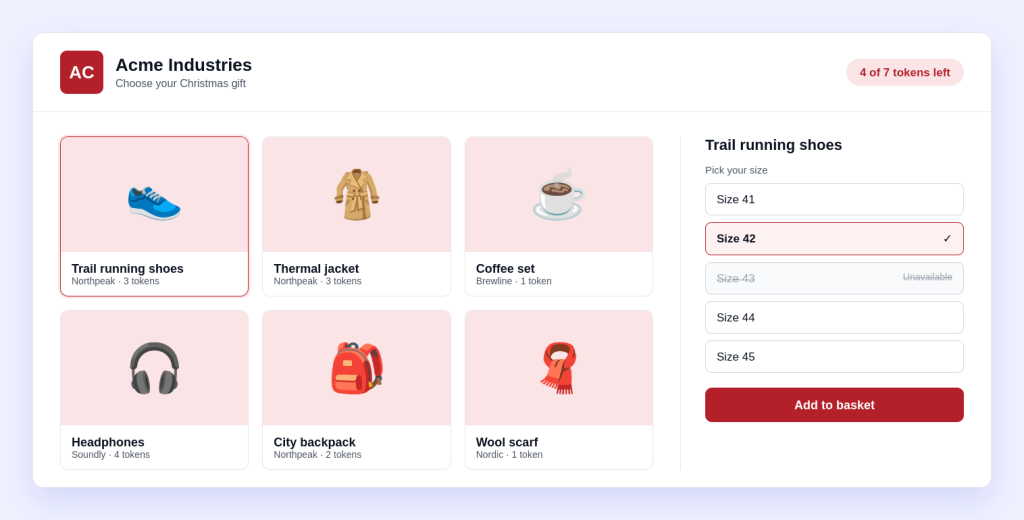
- A pair of shoes is not one gift. It is five sizes. Employees need to pick a size, and you need to know which sizes are left.
- Every client wants to see their own shop. One logo and one colour for everybody makes your portal look like somebody else’s.
- Half the staff have not chosen, and the deadline is Friday. Writing to them one by one is not how you want to spend the week.
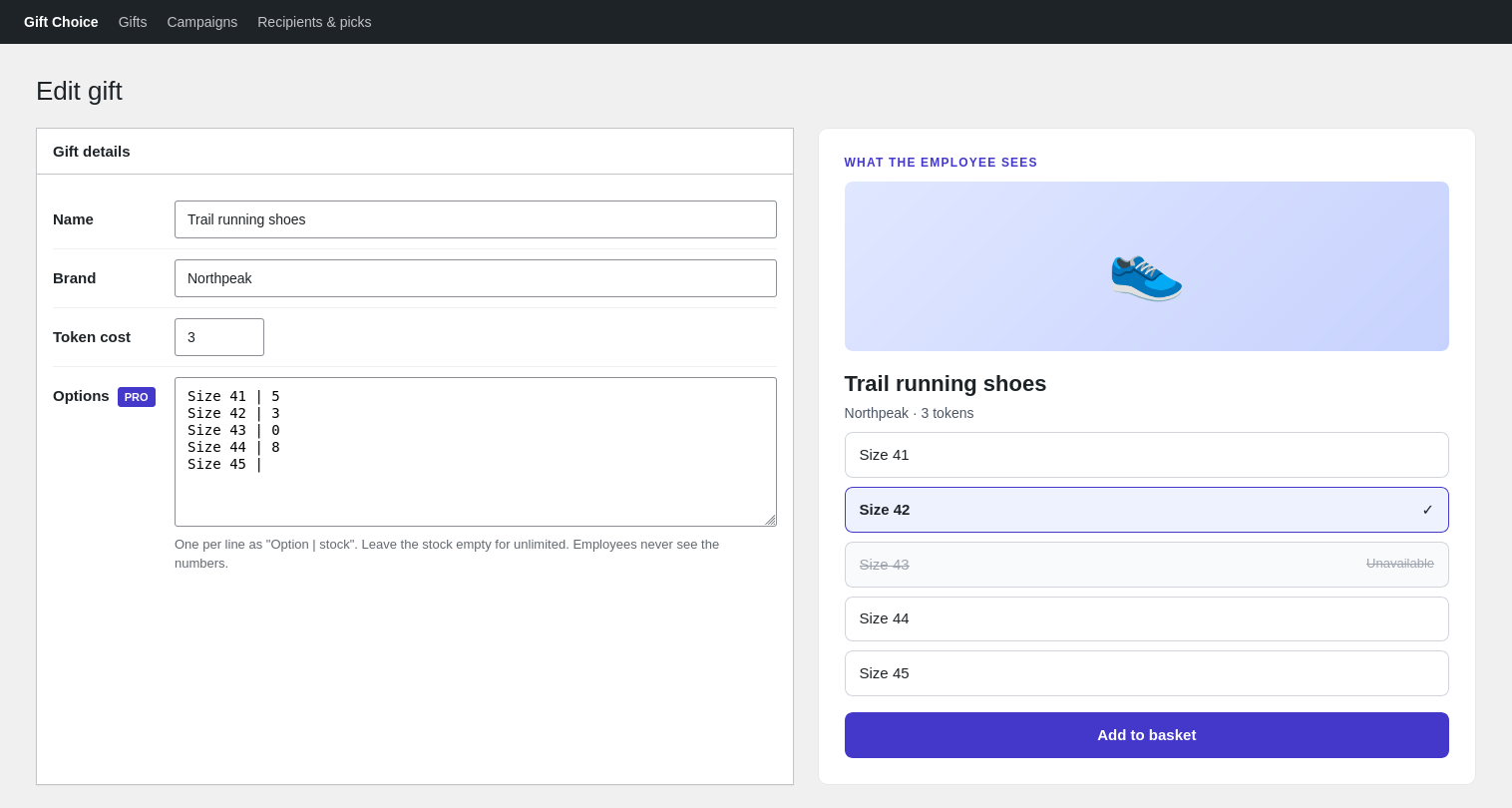
Options with stock
Sizes and colours, each with its own stock.
- List the options on the gift, one per line:
Size 42 | 3. That is the whole editor. - The employee picks an option on the gift page. Each option keeps its own hidden stock.
- At zero, the option shows as unavailable. Employees never see the numbers.
- Leave the stock empty for unlimited. Remove an option somebody already picked, and it stays as a sold-out option instead of breaking their choice.
Works with token campaigns: the gift cost and the maximum per person are counted across all options of the gift.
Branding per campaign
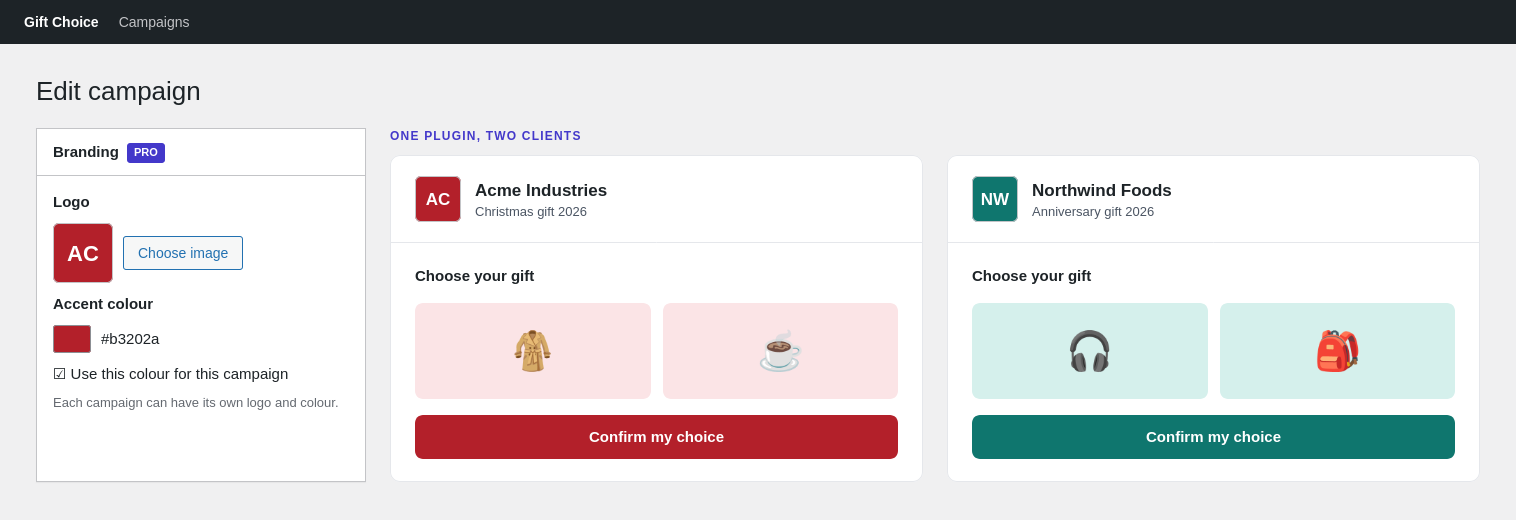
Every client sees their own shop.
- Choose a logo from the media library. It appears at the top of the campaign.
- Pick an accent colour for buttons and highlights, or leave it off to keep the default.
- Set it per campaign, so one site can serve several companies side by side.
Logo and colour only. Your theme still decides fonts and layout.
Reminders
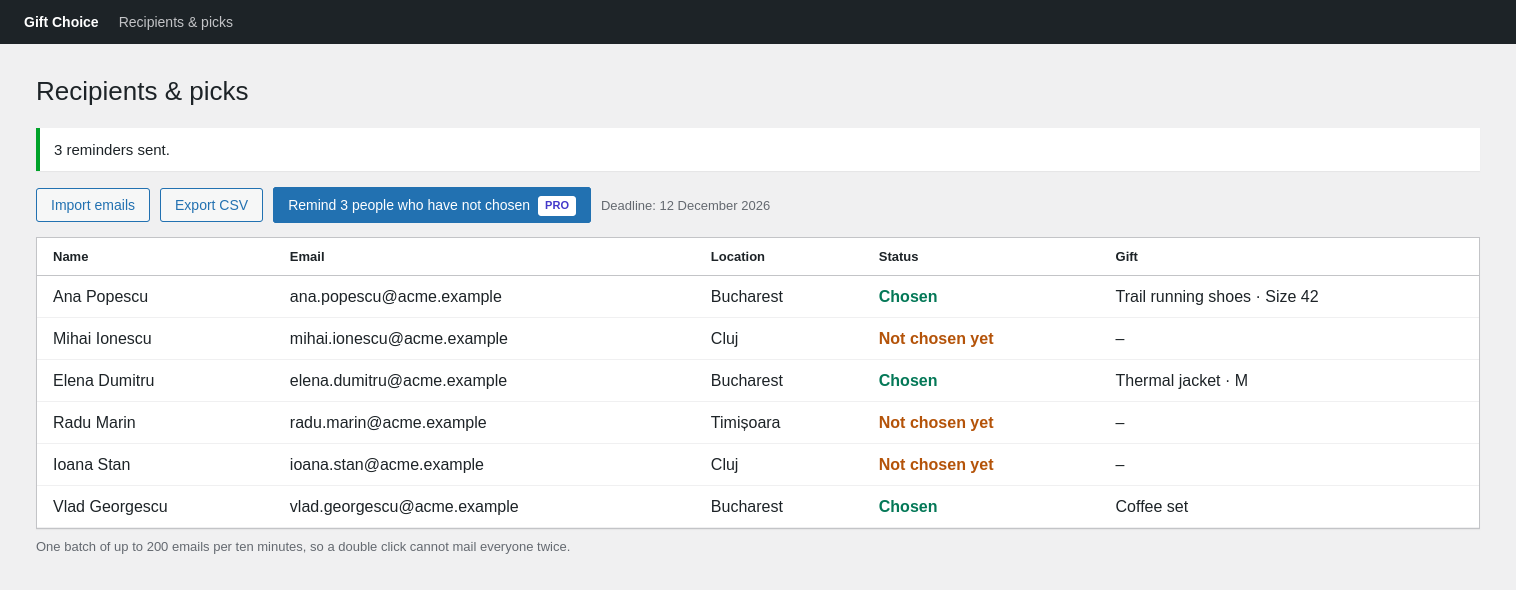
Nudge everyone who has not chosen, in one click.
- Under Recipients & picks, a button shows how many people have not chosen yet.
- It emails only them, with the campaign link and the deadline. People who already chose get nothing.
- It asks you to confirm first, and sends up to 200 emails per batch.
- One batch per ten minutes, so a double click cannot mail everyone twice.
Available while the campaign is open. For a longer list, send the next batch ten minutes later.
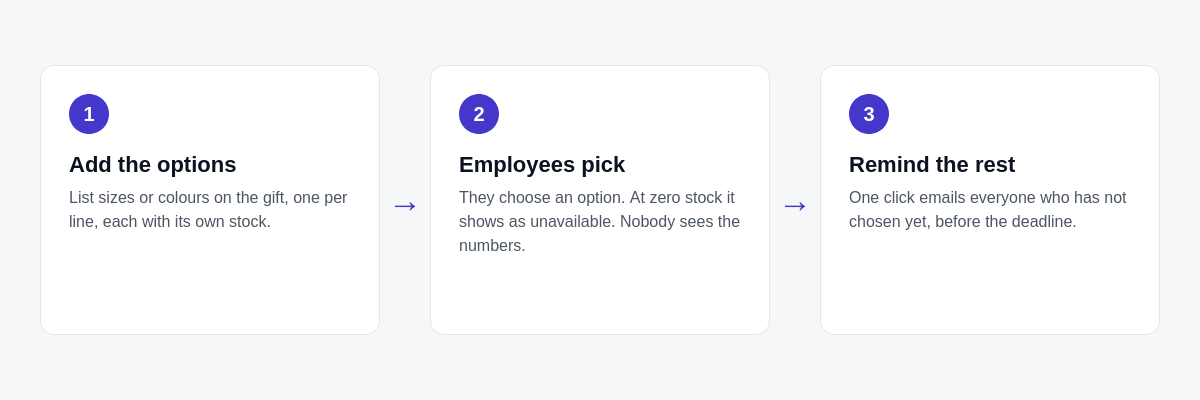
How a gift with sizes works
No new screens to learn: the options live on the gift you already edit.
Free runs the campaign. Pro adds three things.
You need the free plugin either way: Pro is an add-on to it.
| What you get | Free | Pro |
|---|---|---|
| Several campaigns, gift library, gift pages | ✓ | ✓ |
| Email or magic-link login, employee lists | ✓ | ✓ |
| Tokens, basket and confirmation email | ✓ | ✓ |
| Hidden stock per gift, CSV export, Romanian included | ✓ | ✓ |
| Options (sizes, colours) with their own stock | – | ✓ |
| Logo and accent colour per campaign | – | ✓ |
| Reminder emails to people who have not chosen | – | ✓ |
| Updates and support for one year | WordPress.org forum | Included |
Get NMR Gift Choice Pro
One payment. No subscription.
NMR Gift Choice Pro
€8.90 one-time
- 1 site
- 1 year of updates and support
- Options with stock, branding per campaign and reminders
- Keeps working after the year ends; you only stop getting updates
Secure checkout. Your licence key arrives by email.
Questions
Do I need the free plugin?
Yes. Pro is an add-on: install and activate NMR Gift Choice (free) first, then Pro.
Can employees see how many are left?
No. Each option has its own stock, but only you see it. When an option reaches zero, it shows as unavailable.
What if I remove an option somebody already picked?
It stays as a sold-out option, so their choice is not lost. Options nobody picked are deleted.
What if an employee changes their mind?
Employees can change their choice until the deadline. The option they leave goes back into stock.
Can two clients have different logos and colours?
Yes. Logo and colour are set on each campaign, so every client opens their own link and sees their own branding.
Who gets a reminder?
Only people on the campaign list who have not chosen yet. You confirm before it sends. It sends up to 200 emails per batch, and one batch per ten minutes.
Can I edit the reminder text?
Not in this version. The email says the employee has not chosen yet, gives the deadline and links to the campaign.
Is this a subscription?
No. It is a one-time purchase. Your licence includes updates and support for one year. After that the plugin keeps working; you can renew to get future updates.
Does one licence cover several sites?
One licence key activates one site. You can move it to another site by deactivating it first.
Requirements
- WordPress 5.9 or newer, PHP 7.4 or newer
- The free plugin NMR Gift Choice