The free plugin takes donations.
Real campaigns need more.
- Donors who would give every month, if they didn’t have to remember to. One card payment at a time is all most donation plugins offer.
- A year of donations sitting in a spreadsheet. Bank transfers, cash at events, an old system: none of it is in your totals.
- Campaign pages assembled from shortcodes and IDs. Your colleagues should be able to place a donation form with a few clicks.
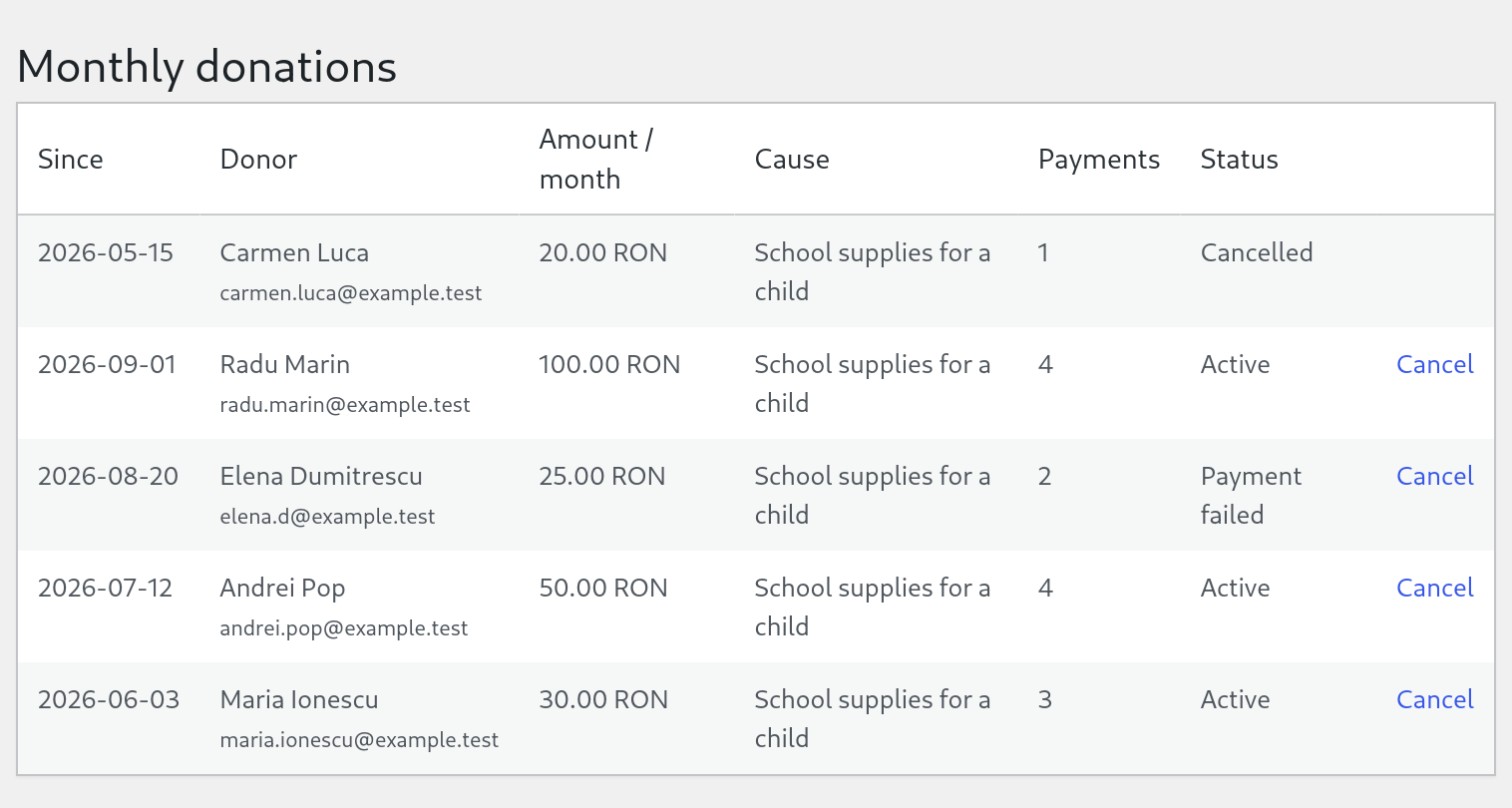
Monthly donations
Let donors give every month, without you chasing anyone.
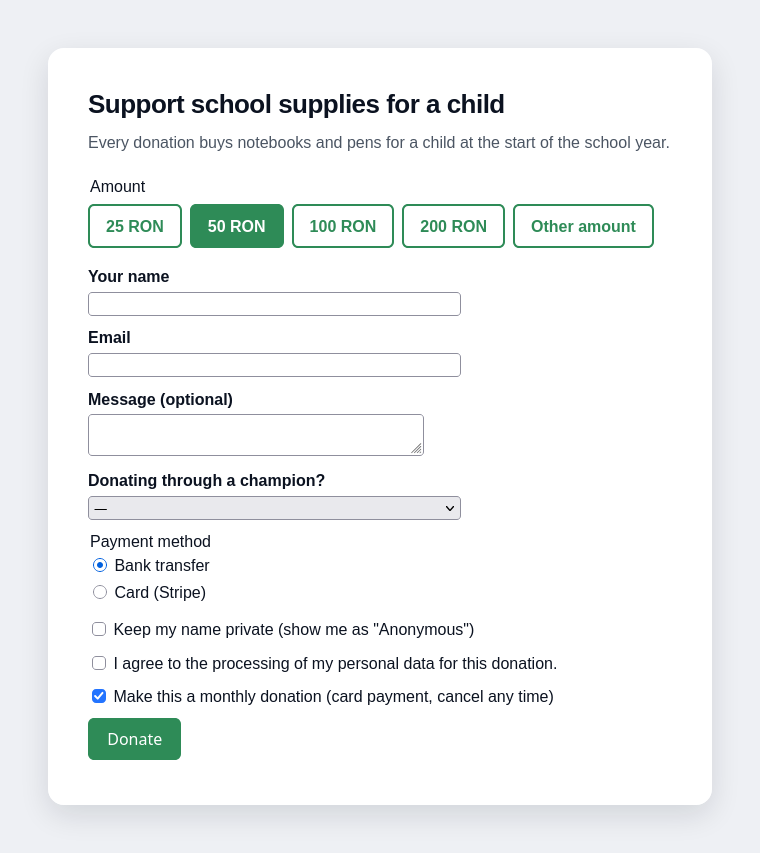
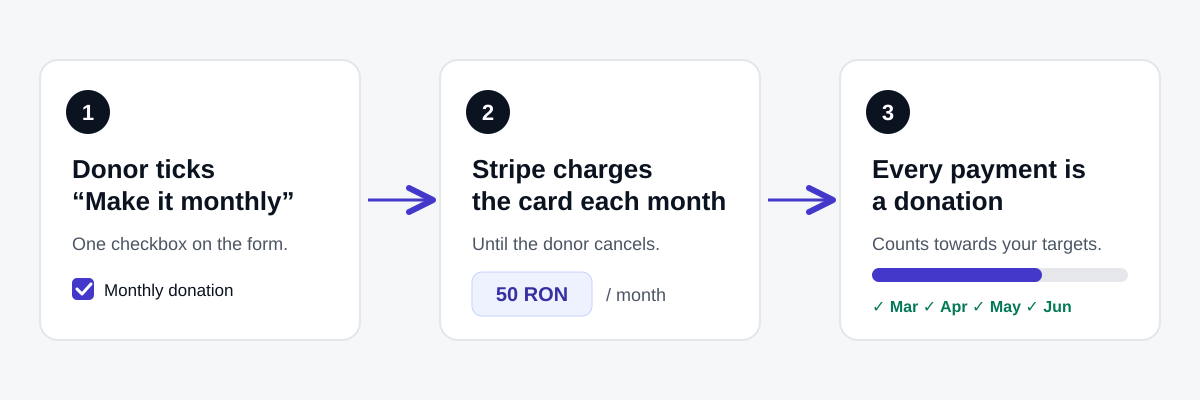
- A “Make this a monthly donation” checkbox on the form. Stripe charges the card every month until the donor cancels.
- Every payment becomes its own donation, with the same donor, cause and champion, and counts towards your targets.
- Donors get a cancel link in their email: one click on a confirmation page, no login.
- One screen lists every monthly donor: active, payment failed, cancelled. You can cancel one too.
Card payments through Stripe only. The option is not shown for fixed-price causes (tickets) or causes with a reward.
CSV import
Bring your donation history with you.
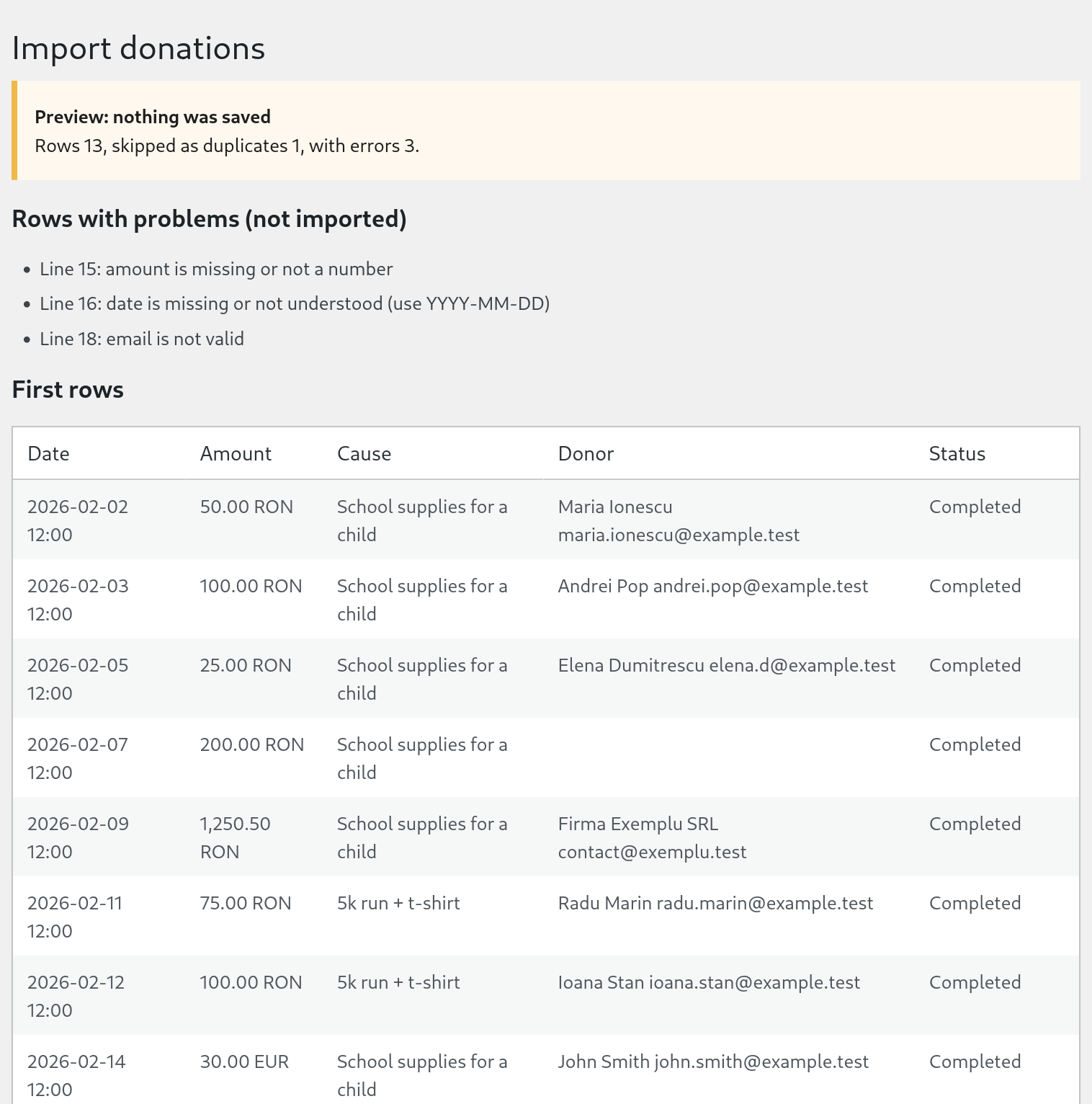
- Upload a spreadsheet or a bank export. Only date and amount are required.
- Preview first: see what will be imported and which rows have a problem. Nothing is saved until you press Import.
- Understands Romanian Excel files: semicolons, Windows-1250 text, amounts like
1.234,50. - Skips rows that already exist, so importing the same file twice is safe. Imported donations are marked as manual and send no emails.
Up to 5,000 rows and 5 MB per file.
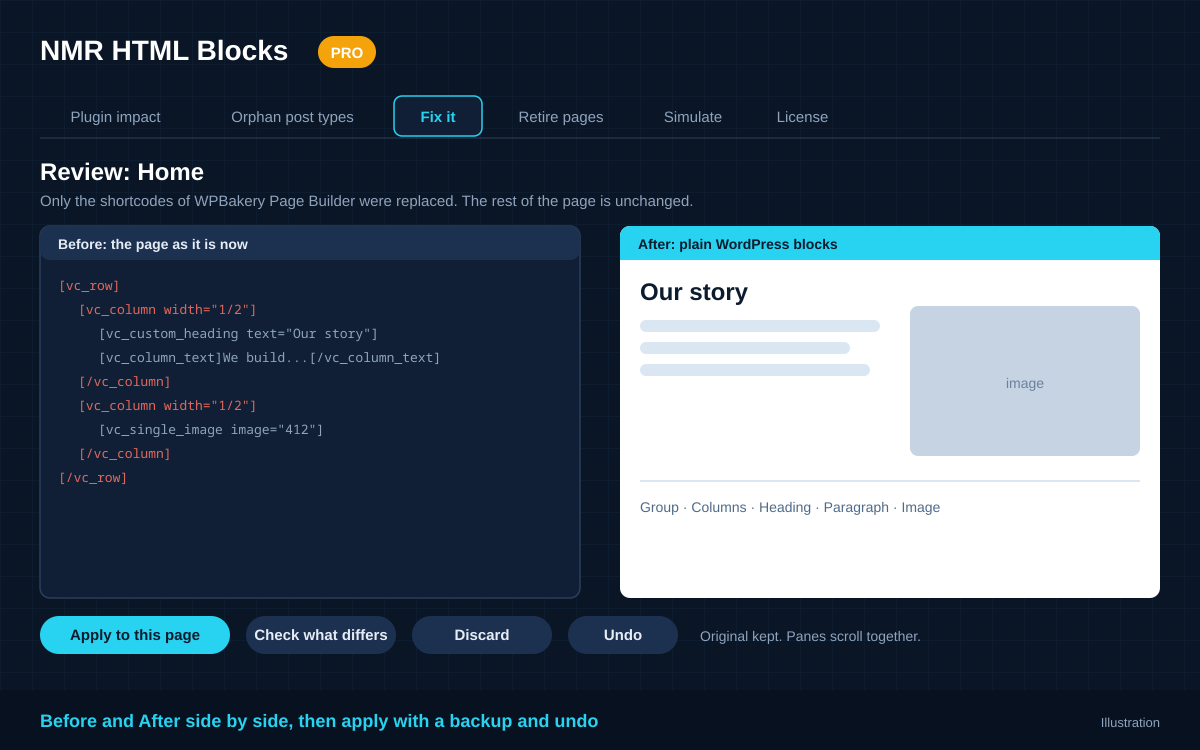
Block editor
Build the campaign page without shortcodes.
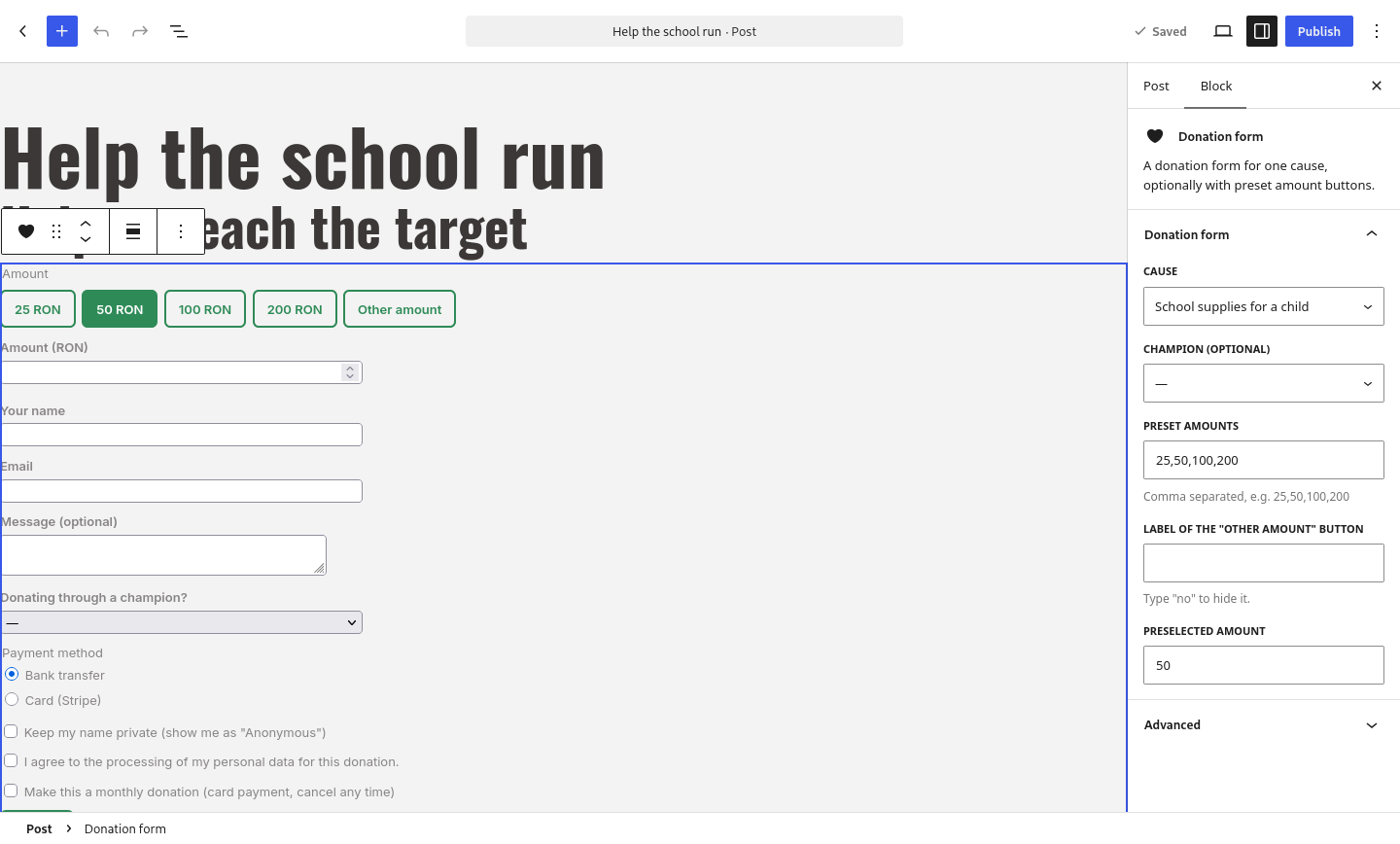
- Five blocks in a “Fundraiser” group: donation form, event, cause, champion and recent donors.
- Pick the event, cause or champion from a list, not from an ID.
- See the form as you edit. Preset amounts, the “other amount” label and the preselected amount are in the sidebar.
Shortcodes keep working. Pro adds blocks; it removes nothing.
How a monthly donation works
Nothing for the donor to install, nothing for you to schedule.
Free does the basics well. Pro adds three things.
You need the free plugin either way: Pro is an add-on to it.
| What you get | Free | Pro |
|---|---|---|
| Events, causes, champions and rewards | ✓ | ✓ |
| Stripe, PayPal and bank transfer | ✓ | ✓ |
| Preset amount buttons, currency, accent colour | ✓ | ✓ |
| Donation list, manual entries, CSV export | ✓ | ✓ |
| Monthly donations (Stripe subscriptions) | – | ✓ |
| CSV import of donations | – | ✓ |
| Blocks for the block editor | – | ✓ |
| Updates and support for one year | WordPress.org forum | Included |
Get NMR Fundraiser Hub Pro
One payment. No subscription.
NMR Fundraiser Hub Pro
€3.90 one-time
- 1 site
- 1 year of updates and support
- Monthly donations, CSV import and blocks
- Keeps working after the year ends; you only stop getting updates
Secure checkout. Your licence key arrives by email.
Questions
Do I need the free plugin?
Yes. Pro is an add-on: install and activate NMR Fundraiser Hub (free) first, then Pro.
Can donors pay monthly with PayPal or bank transfer?
No. Monthly donations use Stripe subscriptions, so a donor who ticks the box always pays by card. One-off donations still accept every method you have switched on.
What happens when a monthly payment fails?
Stripe retries according to your Stripe settings. The donor shows as “Payment failed” on the Monthly donations screen until a payment succeeds or Stripe cancels the subscription.
Can donors cancel on their own?
Yes. The first thank-you email contains a link to a confirmation page. You can also cancel any monthly donation yourself.
What do I need to set up in Stripe?
Your Stripe keys in the free plugin, as for one-off card payments, and three more events on the webhook:
invoice.paid, invoice.payment_failed and customer.subscription.deleted. The Pro screen shows the webhook address.Will it read my bank’s CSV export?
Usually. Map your columns by naming them date, amount, name, email and so on; semicolon or comma separated, UTF-8 or Windows-1250. Use Preview to check the file before importing. Rows that cannot be read are listed with the line number and reason.
Is this a subscription?
No. It is a one-time purchase. Your licence includes updates and support for one year. After that the plugin keeps working; you can renew to get future updates.
Does one licence cover several sites?
One licence key activates one site. You can move it to another site by deactivating it first.
Requirements
- WordPress 5.9 or newer, PHP 7.4 or newer
- The free plugin NMR Fundraiser Hub, version 0.2.0 or newer
- A Stripe account, for monthly donations (import and blocks do not need it)