Leave your old theme or page builder — and keep every page.
You want to deactivate WPBakery, switch themes or drop a plugin. But your pages are full of shortcodes that stop working the moment you do, and demo pages from the old theme are still public. NMR HTML Blocks Pro turns those pages into plain WordPress blocks, shows you the result before anything changes, and lets you undo every step.
No coding required. Install, activate, and work from NMR HTML Blocks in the WordPress admin menu.
What you get
🔧 Fix it: pages to blocks
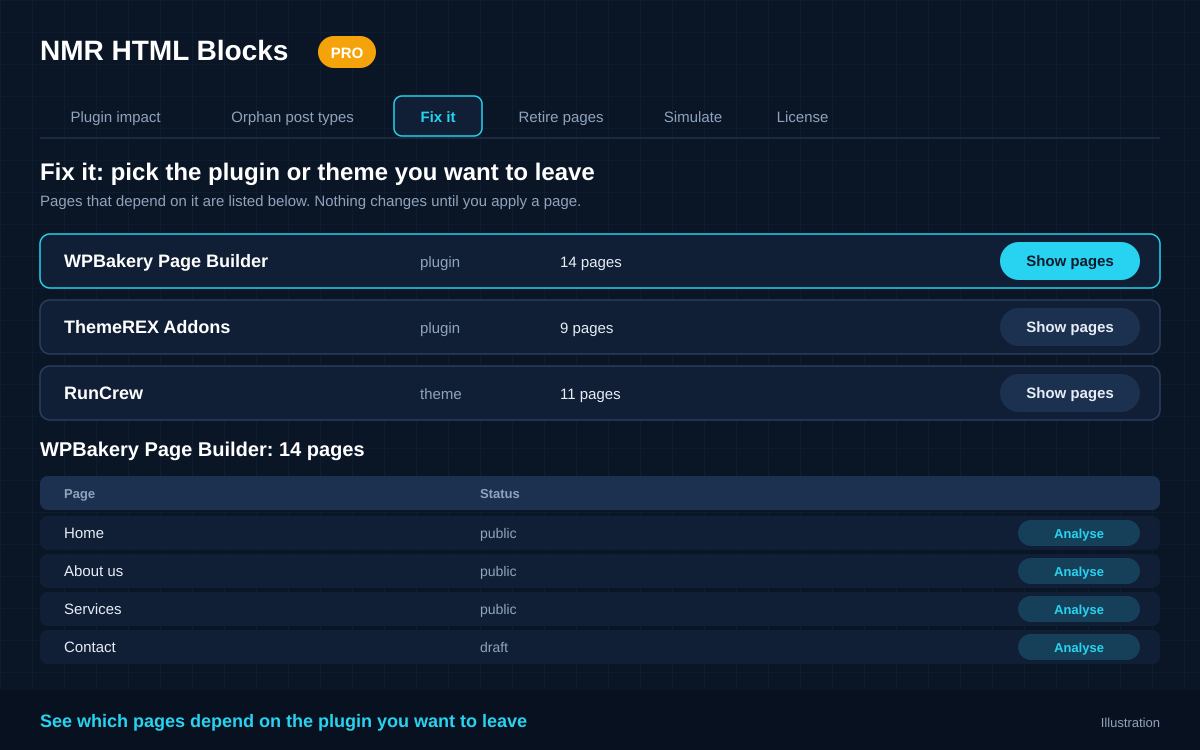
Pick the plugin or theme you want to leave (WPBakery, ThemeREX and similar). Pro converts the pages that use its shortcodes into plain WordPress blocks, so they no longer depend on it. Anything it cannot map is kept as an HTML block, never dropped.
👀 Before / After review
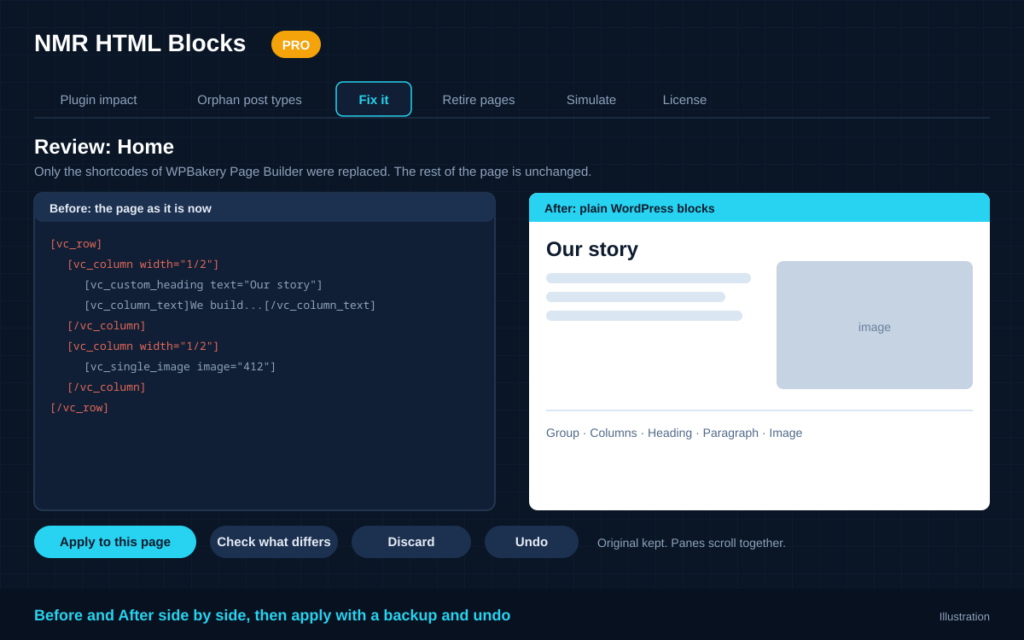
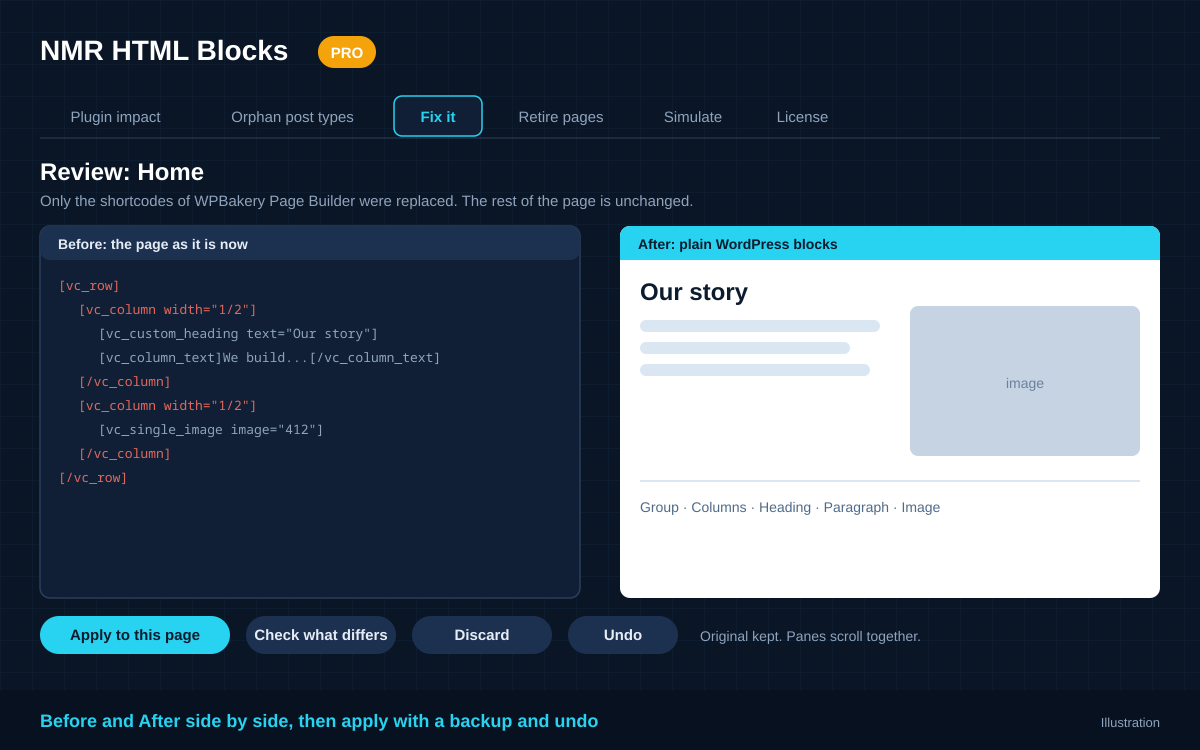
Every page opens in a side-by-side review. The Before and After panes scroll together, and a “Check what differs” button compares the rendered views for text and pictures. Apply only the pages you are happy with, or discard the rest.
↩️ Backup and one-click undo
The original content of every converted page is kept. Not happy with a result? Press Undo and the page is exactly as it was.
🎯 Only what you are leaving
Pro replaces only the shortcodes of the plugin or theme you are leaving. The rest of the page stays exactly as it is, and shortcodes of plugins that stay keep working. The whole page is converted only when those shortcodes make up most of it, or when you choose it.
📐 Rules per shortcode
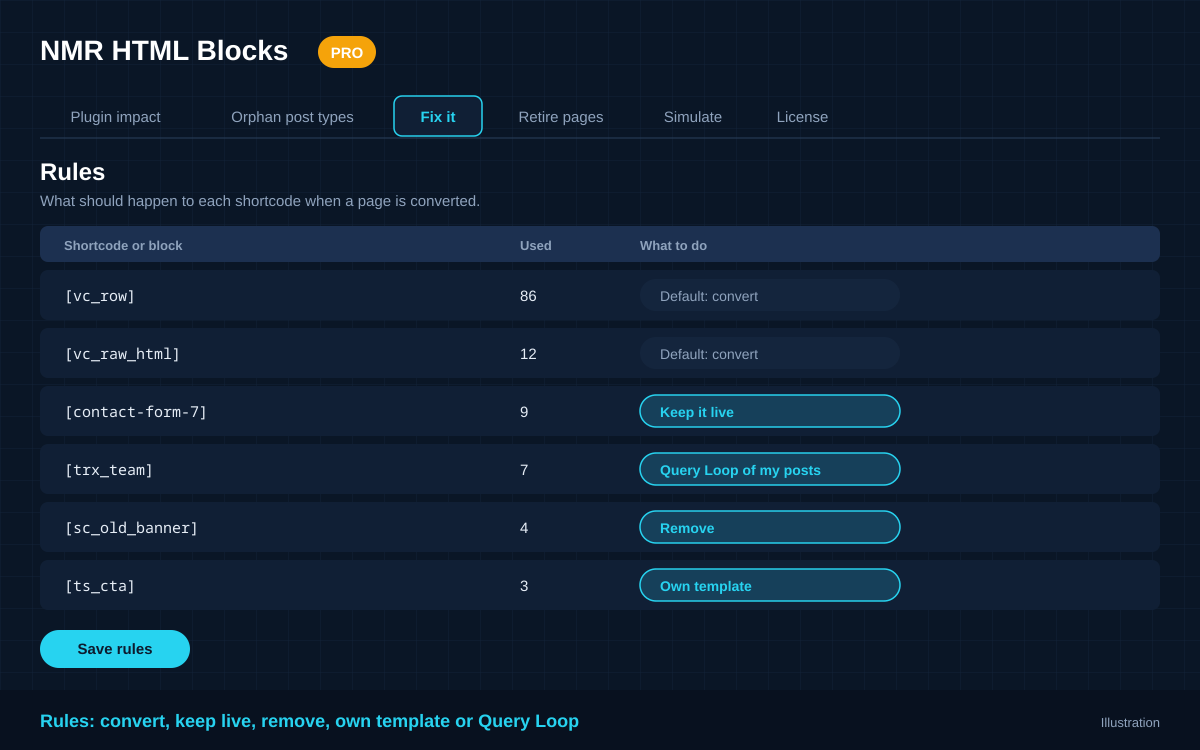
Decide what happens to each shortcode or dynamic block: convert it, keep it live, remove it, replace it with your own HTML or blocks (with {attribute} placeholders), or turn it into a Query Loop block that lists your own posts.
🖼️ Pictures that stay
Images already in your Media Library are only referenced. Images that would disappear with the old plugin or theme (another site, a plugin’s cache, the old theme’s folder) are copied into the Media Library once, when you apply. Instagram feed photos from Smash Balloon become a gallery with the real pictures.
🧪 Simulate: see it before you deactivate
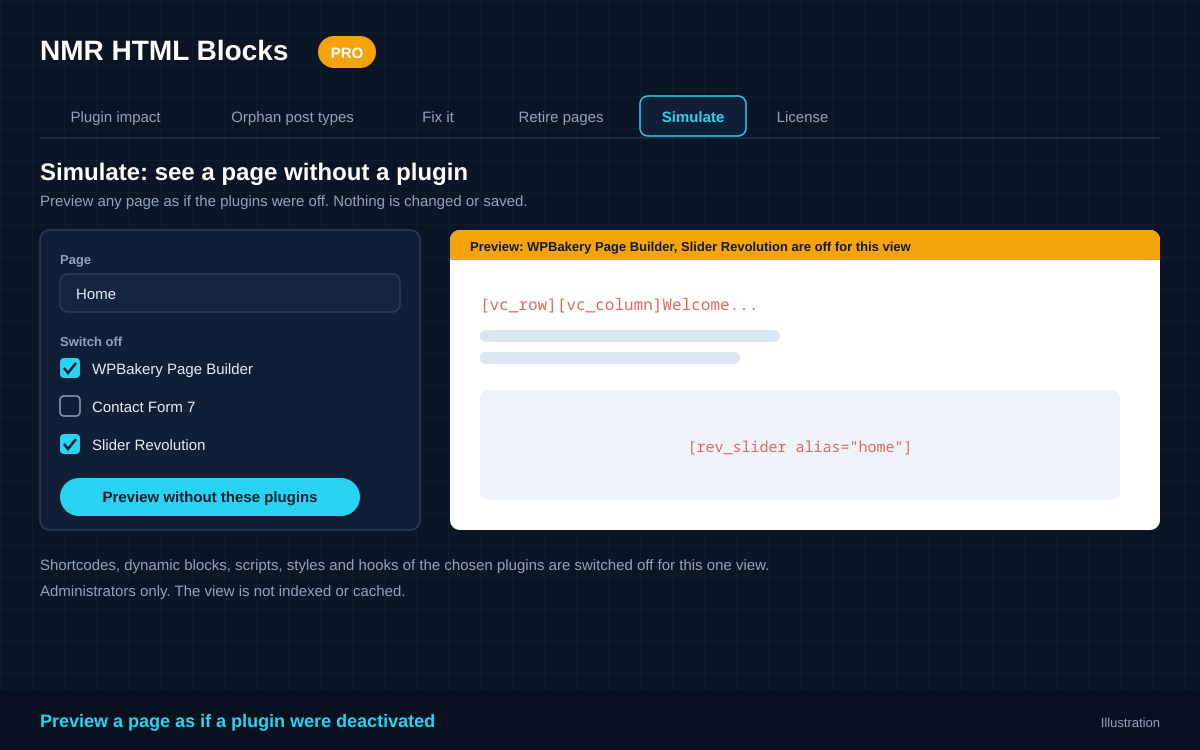
Preview any page as if one or more plugins were switched off: their shortcodes, dynamic blocks, scripts, styles and hooks are disabled for that one view. Administrators only, nothing is changed, and the view is not indexed or cached.
🧹 Retire pages
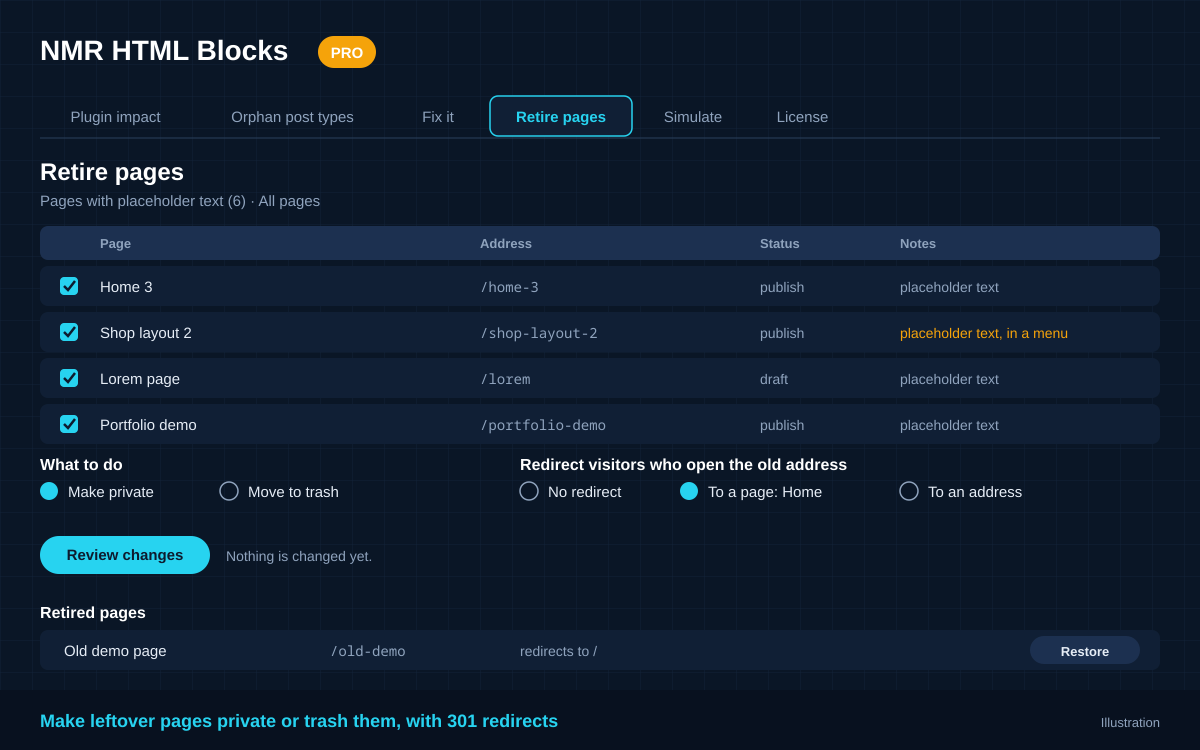
Make demo and leftover pages private, or move them to the trash, in bulk. Pages with placeholder text are suggested first, pages in a menu are marked, and the front page, posts page and privacy page are never offered. Optionally send visitors from the old address to another page with a 301 redirect, and download the redirect map as CSV. You confirm a summary first, and every page can be restored.
🆓 Free plugin included
Pro builds on the free NMR HTML Blocks, which shows which plugins your pages depend on, warns you before you deactivate one that live content uses, and gives you back the posts of removed custom post types such as Services or Team.
🔑 License key activation
One license key, one site. Activate it from the WordPress admin. Automatic update notifications are delivered to your dashboard.
See it in action
Start from what depends on what
Decide what happens to every shortcode
Check a page without the plugin
Clean out the leftovers
How it works
- See what depends on what. The free plugin lists every plugin and theme your content relies on.
- Simulate. Preview a page without the plugin you want to leave.
- Fix it. Analyse a page, compare Before and After, then apply. A backup is kept.
- Retire the leftovers. Clean out demo pages, with redirects if you want them.
- Deactivate the old plugin. Your pages no longer need it.
Requirements
- WordPress 5.8 or higher
- The free plugin NMR HTML Blocks (installed and active)
- PHP 8.0 or higher
Frequently asked questions
Do I need the free plugin installed?
Yes. Pro is an add-on and requires the free NMR HTML Blocks to be installed and active. WordPress will tell you if it is missing.
Does it change my pages without asking?
No. Analysing a page and previewing it change nothing. A page is only changed when you press Apply, and the original is kept so you can undo it. Retiring pages also needs your confirmation first.
Must the old plugin still be active when I convert?
Yes. Pro works from the HTML the page produces while the old plugin or theme is still running. Convert and review your pages first, then deactivate the old plugin.
What happens to things Pro cannot convert?
They are kept as an HTML block, so no content is lost. The review screen shows exactly what was converted and what was kept, and you decide whether to apply the page.
Does Simulate really deactivate the plugin?
Only for that one preview, and only for you. It is an approximation: what the plugin did while loading, for example registering post types, has already happened. Nothing on your site is changed.
Can I undo a retired page?
Yes. Every retired page is listed with a Restore button. Restoring puts the page back in its earlier status and removes its redirect.
Is this a subscription or a one-time purchase?
One-time purchase. Your license includes plugin updates for one year. After that the plugin continues to work, and you can renew to get future updates.