The free plugin runs one fair draw.
Real years have more than one holiday.
- One application each is not always enough. Some companies want people to apply for a few weeks at different properties, but never win the whole summer.
- Half the staff have not applied, and applications close on Friday. Writing to them one by one is not how you want to spend the week.
- Somebody asks: “Was the draw really random?” You need an answer that is better than “trust me”, and a caretaker who knows who arrives when.
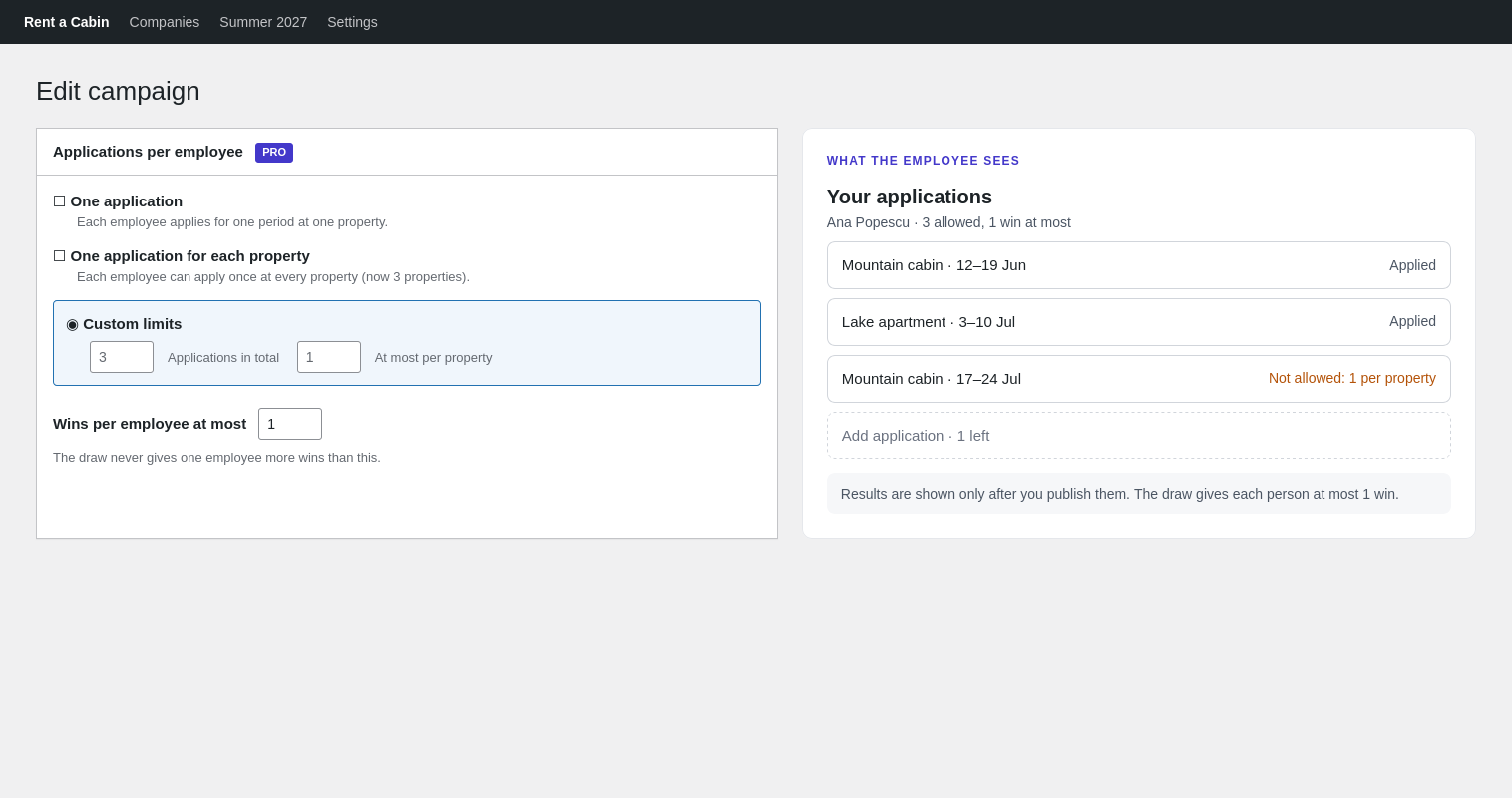
Several applications
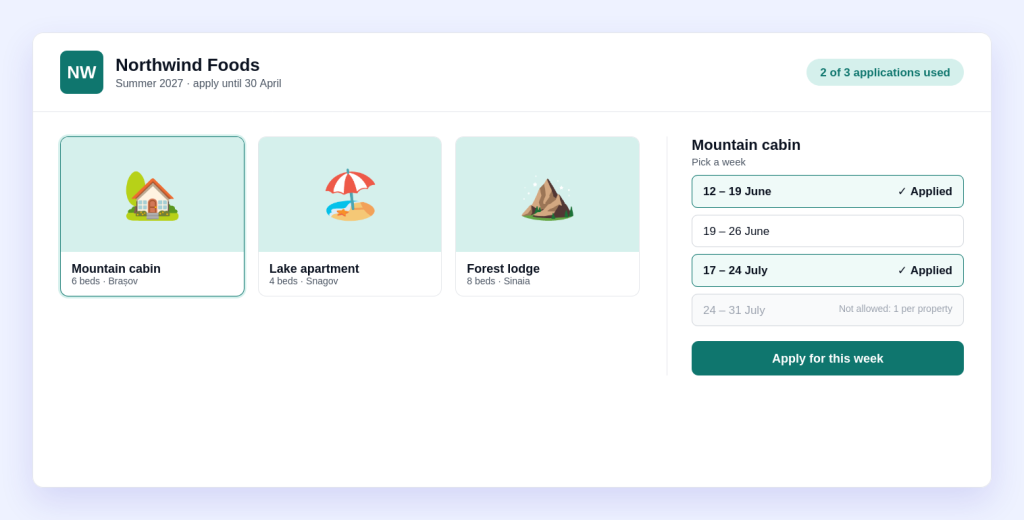
Let each employee apply more than once, with limits you set.
- Choose one application, one for each property (the limit follows the properties you add), or custom limits.
- Custom: how many applications in total, and how many per property.
- Set how many wins one employee can get. The draw never gives anyone more.
- An employee can apply for the same week at several properties. The draw gives at most one property per week.
Set per campaign, so a summer campaign and a winter campaign can have different rules.
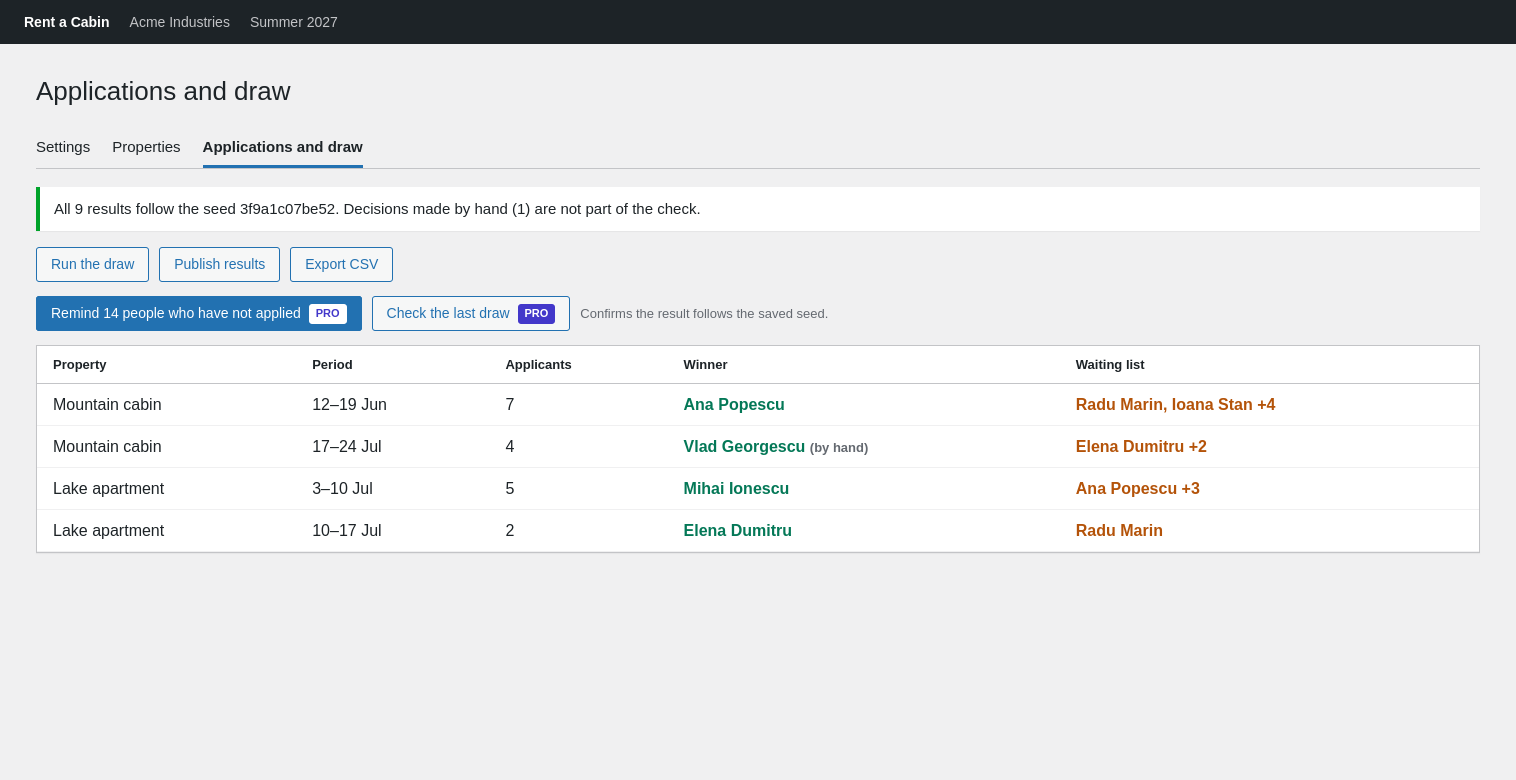
Reminders and draw check
Get everyone to apply, then show the draw was fair.
- On Applications and draw, one button emails every active employee of the company who has not applied yet.
- It asks you to confirm, and sends up to 200 emails per batch, one batch per ten minutes.
- Check the last draw confirms that the results follow the saved seed. It tells you how many results it checked.
- Winners you picked by hand are left out of the check, and the message says how many there were.
Reminders are available while applications are open. The check works on a random draw of the whole campaign.
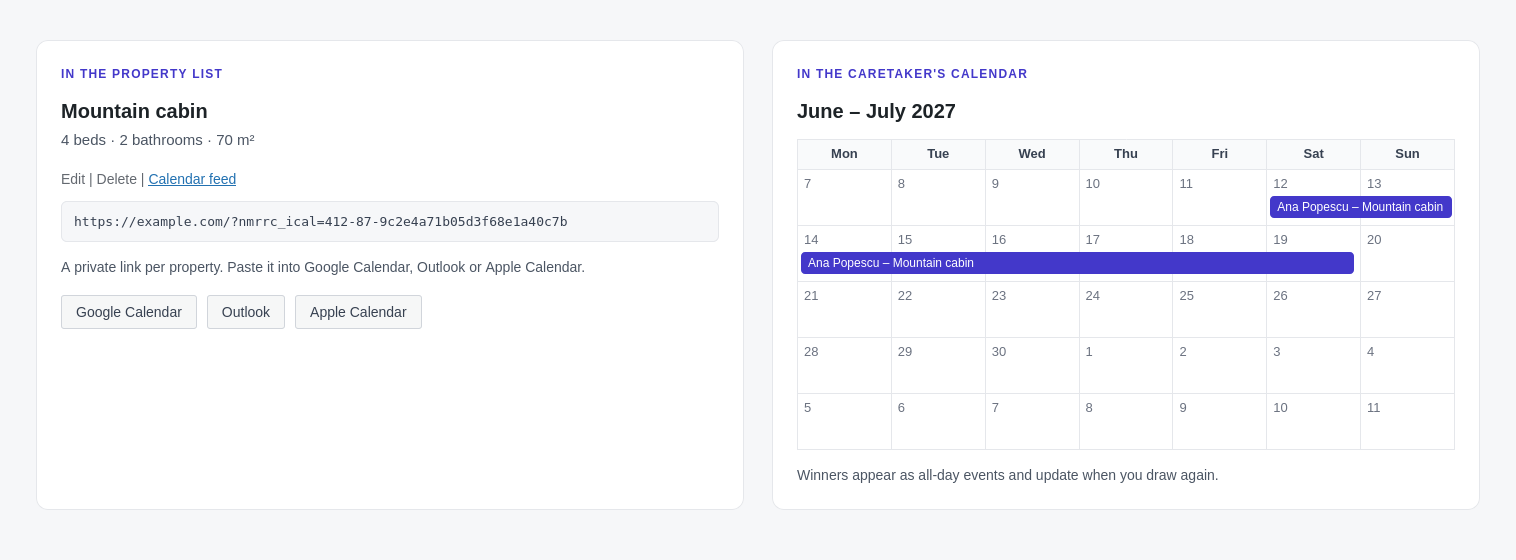
Calendar feed
Let the caretaker see who arrives, in their own calendar.
- Every property gets a private calendar link. Add it to Google Calendar, Outlook or Apple Calendar.
- Each winner shows as an all-day event for their week, with their name and the property.
- The link holds a secret that cannot be guessed from the property number.
The feed shows winners’ names. Share the link only with the person who looks after the property.
Two more things for several clients
- Branding per campaign Choose a logo and an accent colour for each campaign, so every client sees their own pages. Logo and colour only: your theme still decides fonts and layout.
- Data retention Delete the applications of closed or drawn campaigns a number of days after applications closed. Set 0 to keep everything. Runs once a day.
How a campaign runs with Pro
The same screens you already know, with a few more options on them.
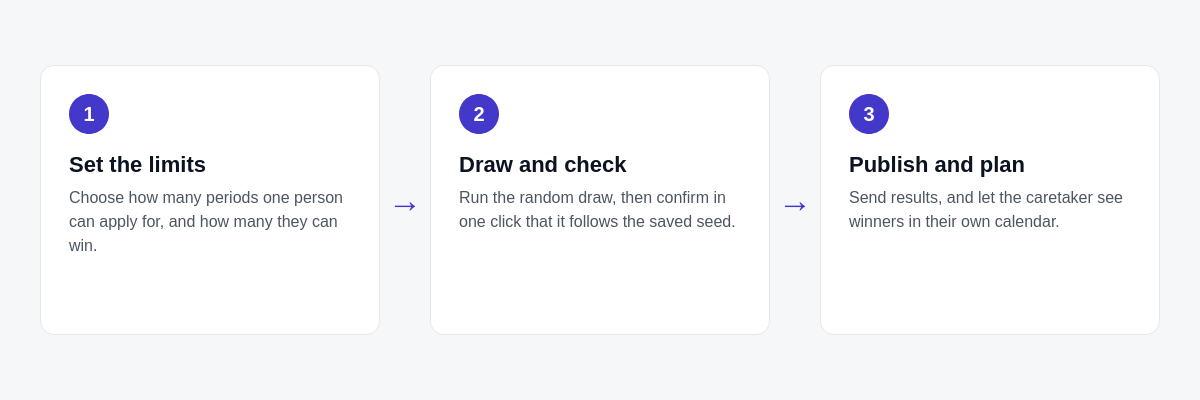
Free runs the draw. Pro adds six things.
You need the free plugin either way: Pro is an add-on to it.
| What you get | Free | Pro |
|---|---|---|
| Companies, campaigns, properties and employee lists | ✓ | ✓ |
| Calendar for you and for employees | ✓ | ✓ |
| Random draw, waiting list, hand-picked winners | ✓ | ✓ |
| Results by email, CSV export, Romanian included | ✓ | ✓ |
| Several applications per employee, with limits | – | ✓ |
| Reminder emails to people who have not applied | – | ✓ |
| Logo and accent colour per campaign | – | ✓ |
| Data retention for old applications | – | ✓ |
| Draw check against the saved seed | – | ✓ |
| Calendar feed of winners per property | – | ✓ |
| Updates and support for one year | WordPress.org forum | Included |
Get NMR Rent a Cabin Pro
One payment. No subscription.
NMR Rent a Cabin Pro
€6.90 one-time
- 1 site
- 1 year of updates and support
- Several applications, reminders, branding, retention, draw check and calendar feed
- Keeps working after the year ends; you only stop getting updates
Secure checkout. Your licence key arrives by email.
Questions
Do I need the free plugin?
Yes. Pro is an add-on: install and activate NMR Rent a Cabin (free) first, then Pro.
Can one employee win several weeks?
Only if you allow it. You set “wins per employee at most” for each campaign, and the draw never gives anyone more. Even then, nobody gets two properties in the same week.
What does “Check the last draw” prove?
That the winners and the waiting list of the last random draw are in the order the saved seed produces. It does not cover results you changed by hand: the message tells you how many there were.
Who gets a reminder?
Active employees of the company who have not applied to the campaign yet. You confirm before it sends. It sends up to 200 emails per batch, and one batch per ten minutes.
Can I edit the reminder text?
Not in this version. The email says the employee has not applied yet, gives the closing date and links to the campaign.
Is the calendar feed public?
No. The link holds a secret and shows the winners’ names, so share it only with the person who looks after the property. The link works until you delete the property.
What does data retention delete?
The applications and draw records of campaigns that are closed or drawn, a number of days after applications closed. Open campaigns are never touched. With 0 days, nothing is deleted.
Is this a subscription?
No. It is a one-time purchase. Your licence includes updates and support for one year. After that the plugin keeps working; you can renew to get future updates.
Does one licence cover several sites?
One licence key activates one site. You can move it to another site by deactivating it first.
Requirements
- WordPress 5.9 or newer, PHP 7.4 or newer
- The free plugin NMR Rent a Cabin, version 0.1.0 or newer